Install & Activate

🌍 One QR code, endless destinations.

Learn how to activate your eSIM once and travel smart.

How to Install an eSIM

QR code for setting up eSIM on your phone; scan with your device to activate mobile service.

Unlock your phone and scan the QR Code using your camera. Make sure you have a stable internet connection.
Step 2

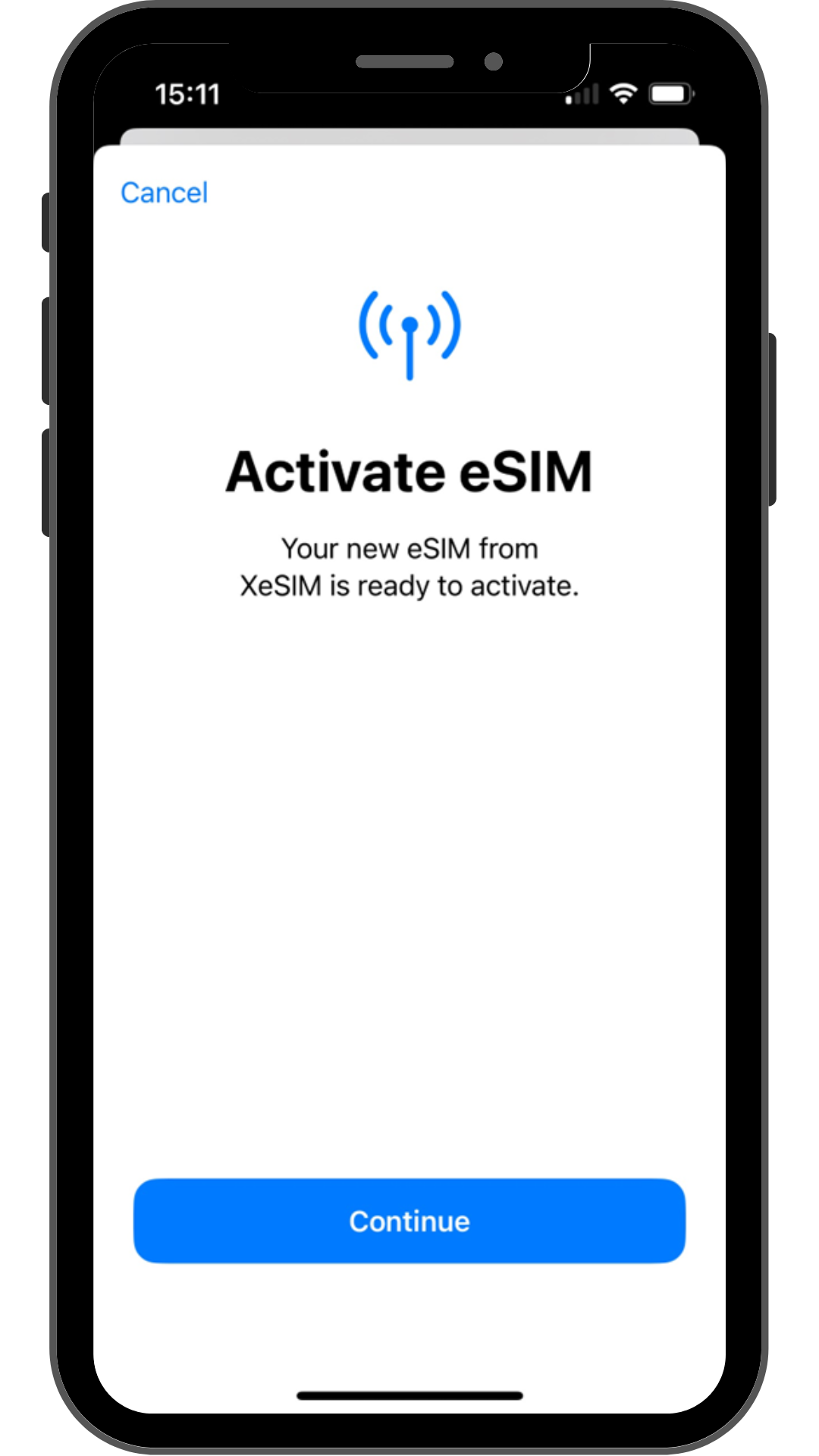
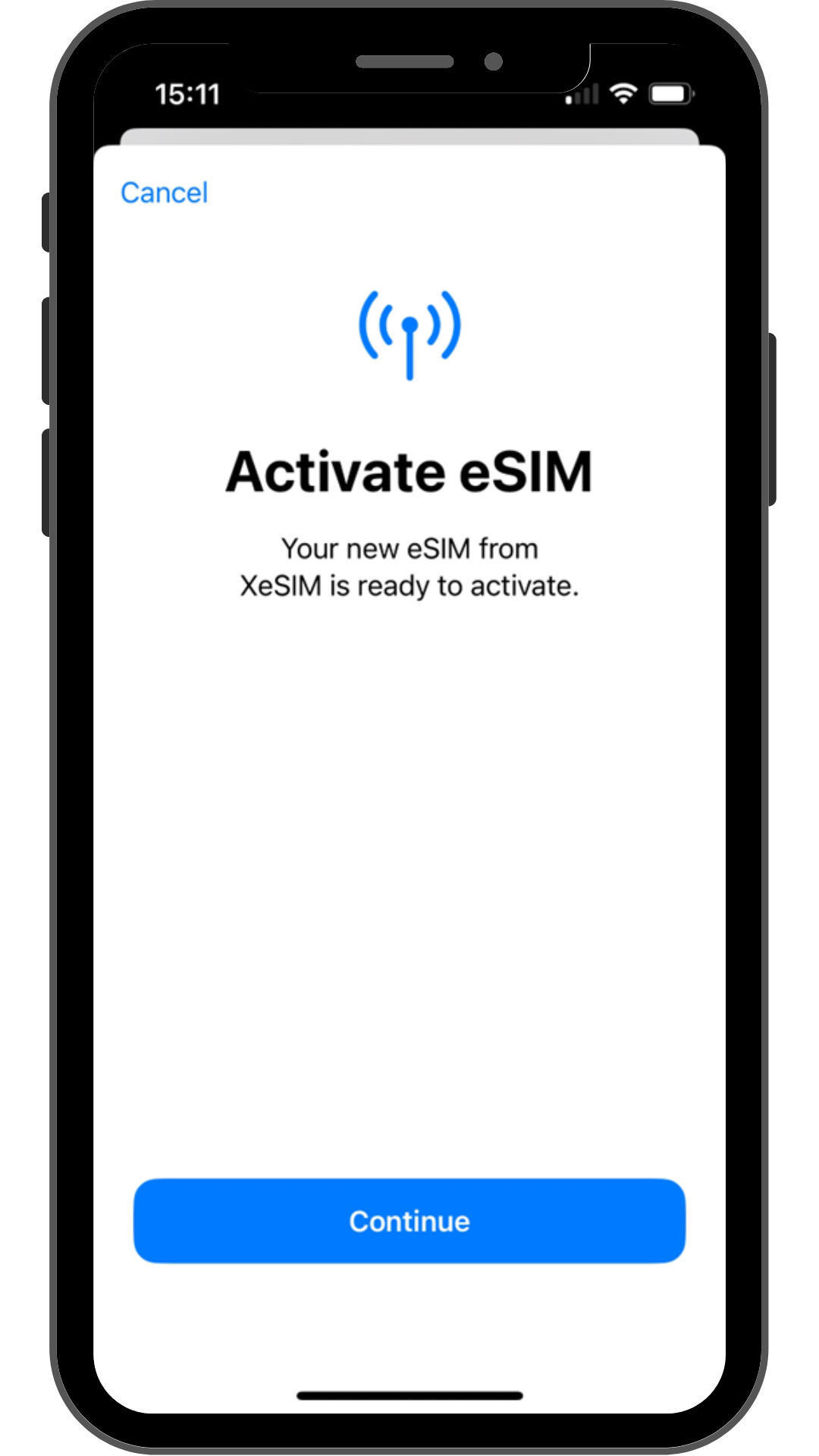
Follow the installation flow on your device.
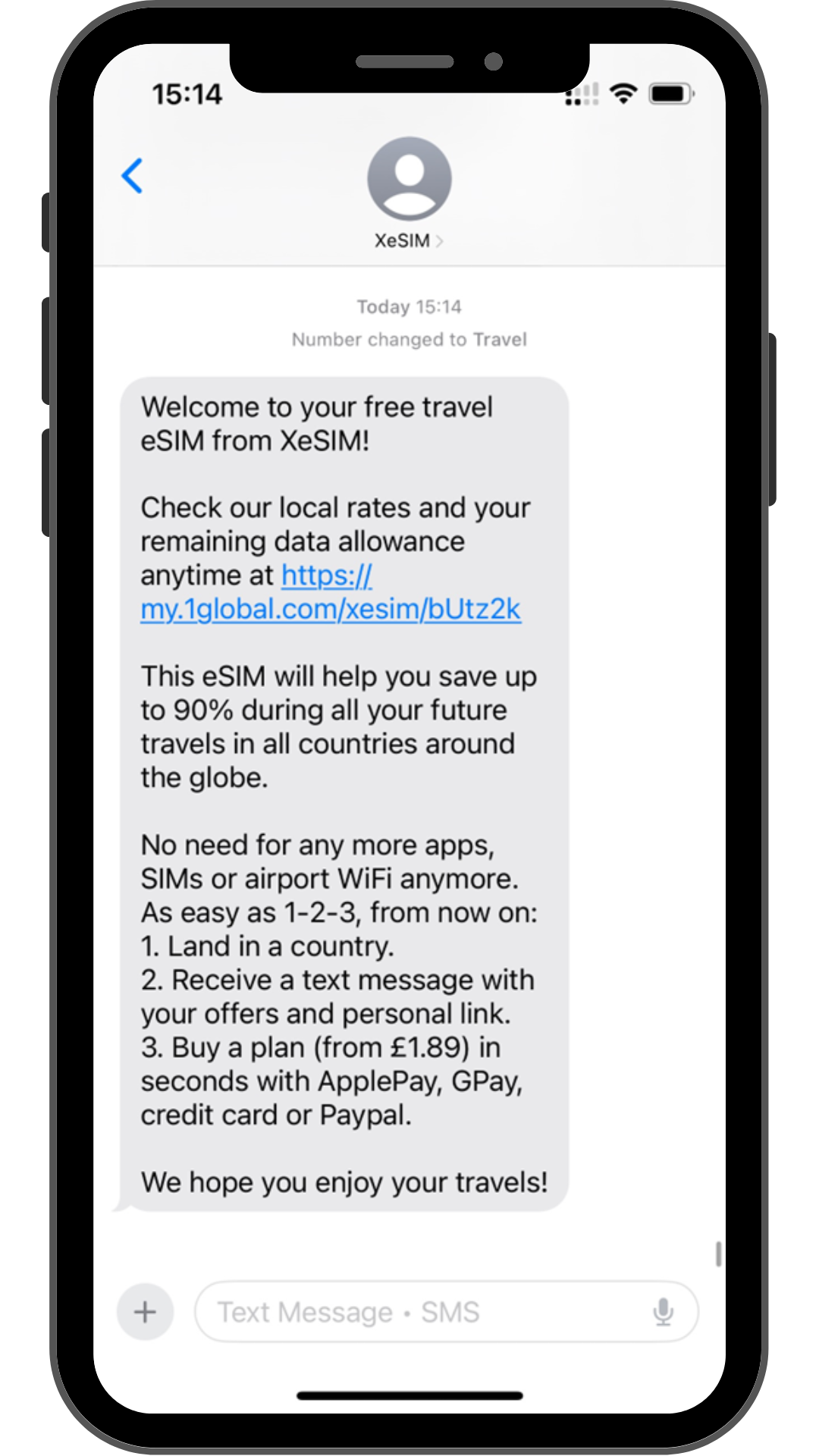
Step 3

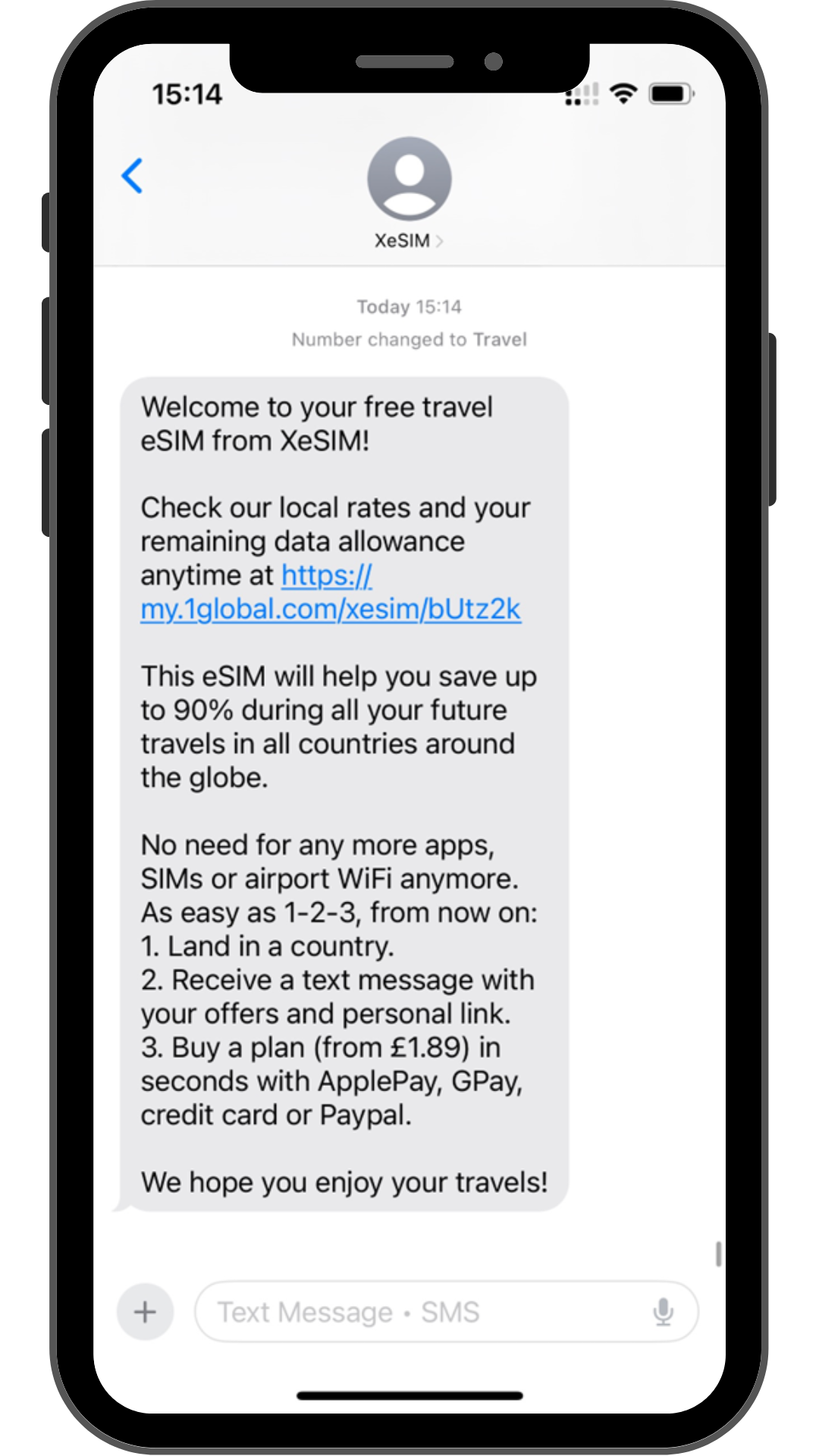
Click on the link we sent you via SMS to get to your personal dashboard.
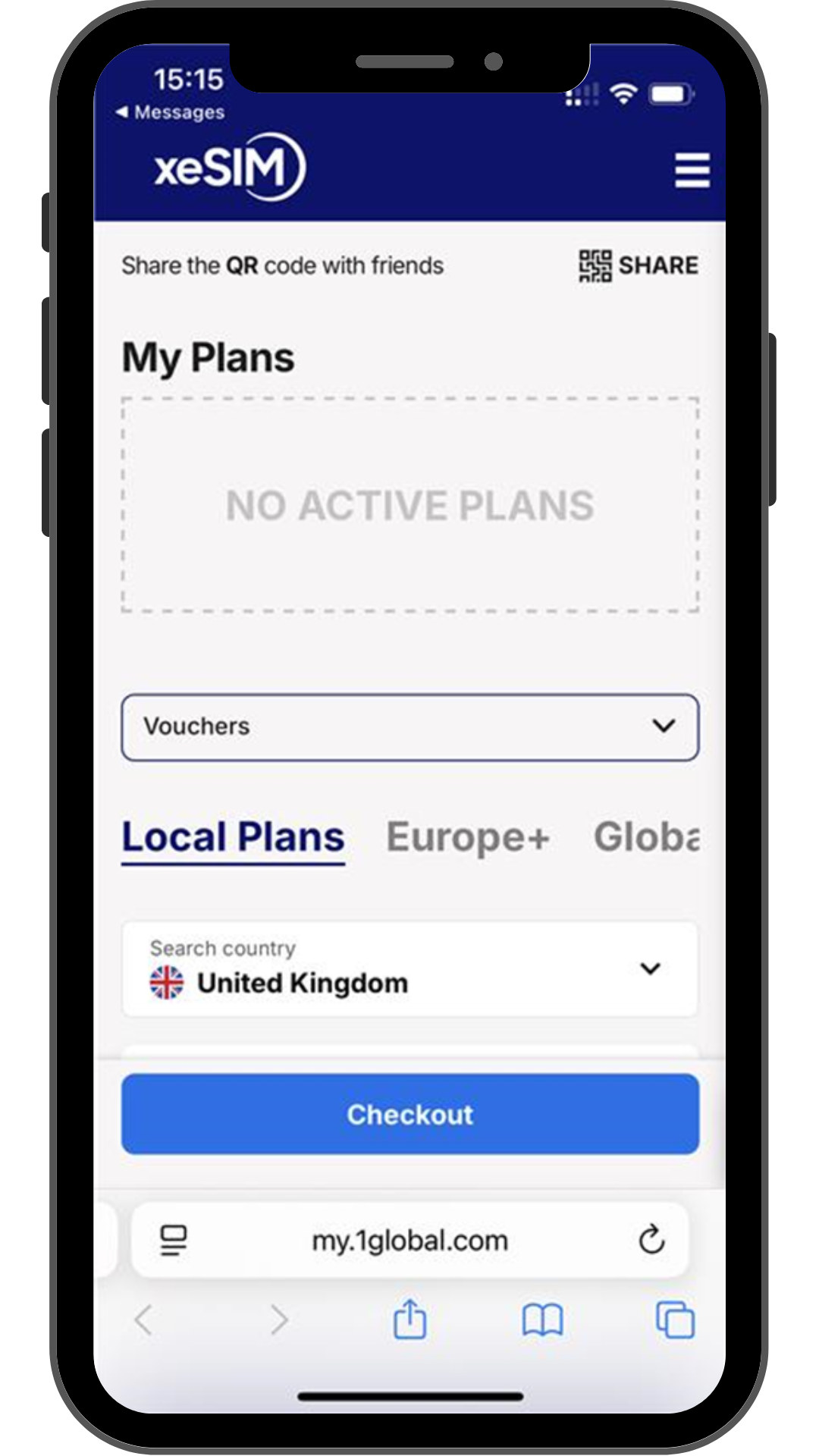
Step 4

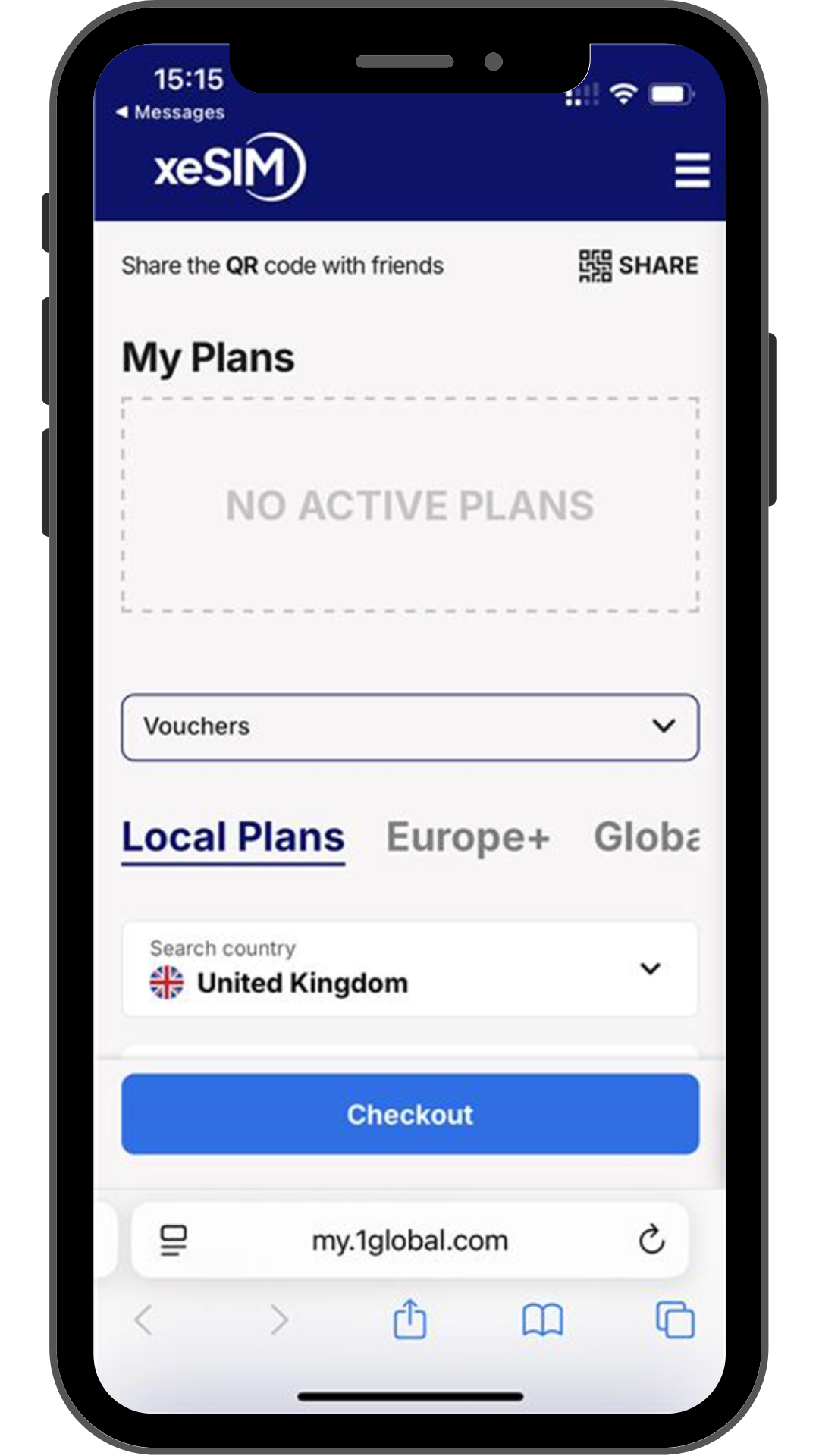
Choose your data plan. It will automatically activate once you arrive at your destination.

QR code for setting up eSIM on your phone; scan with your device to activate mobile service.

1/4

Unlock your phone and scan the QR Code using your camera. Make sure you have a stable internet connection.

Smartphone screen showing XeSIM ready to activate, highlighting fast eSIM setup for global mobile connectivity.

2/4

Follow the installation flow on your device.

iPhone screen showing XeSIM welcome SMS with link to check local rates and remaining data allowance when traveling.

3/4

Click on the link we sent you via SMS to get to your personal dashboard.

iPhone screen showing XeSIM dashboard with no active plans and tabs for Local, Europe+, and Global travel eSIM options.

4/4

Choose your data plan. It will automatically activate once you arrive at your destination.

How to activate an eSIM?

Travel destination photo of New York City skyline at sunset promoting XeSIM roaming data plans

Traveling to Turkey?

Check out our plans starting from £5.50

Payment Methods

American Express Logo
Google Pay Logo
Apple Pay Logo
PayPal Logo
Visa Logo
Mastercard Logo